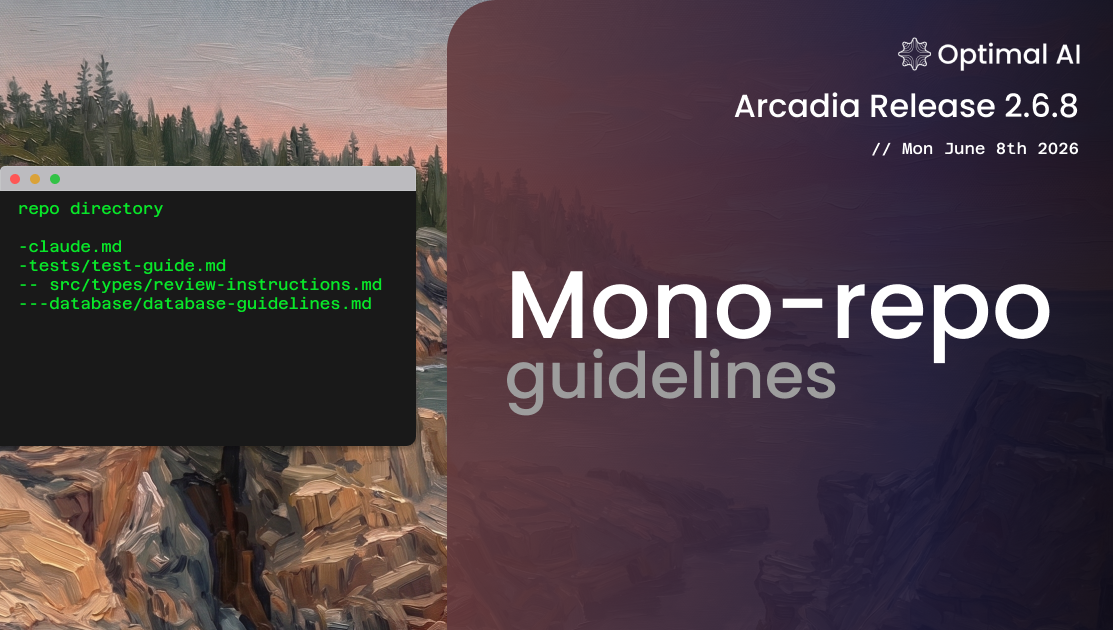
Monorepo Guidelines
Define different review standards for different parts of your monorepo. Optibot applies the right rules based on which directories each PR touches.
Monorepo Guidelines
If you run a monorepo, you've run into this: your payments service needs PCI compliance checks, your frontend needs accessibility rules, and your backend cares about API contract stability. One guideline file cannot say all of that without becoming a mess. Today we're shipping a fix.
Monorepo Guidelines lets you register per-directory review instructions as plain markdown files that live right next to your code. Optibot reads only the ones that apply to each PR based on which directories were touched.
How it works
Pick Monorepo in the dashboard
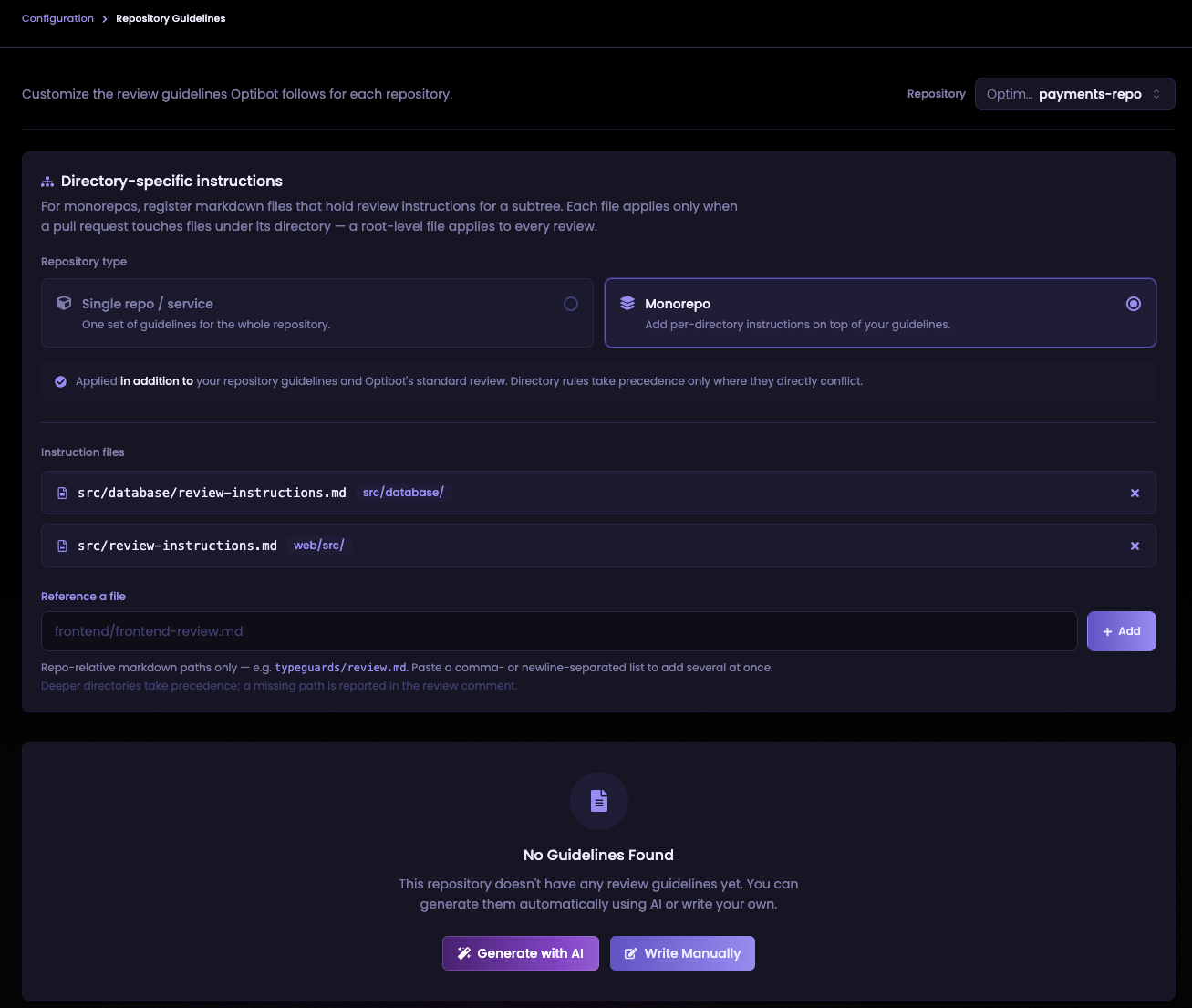
Go to Repository Guidelines, select your repo, and switch the repository type to Monorepo.
Add your instruction files
Under Instruction files, paste the repo-relative paths to your markdown files, one per line or comma-separated. The dashboard shows each file's scope next to its path so it's clear which directories each one covers.
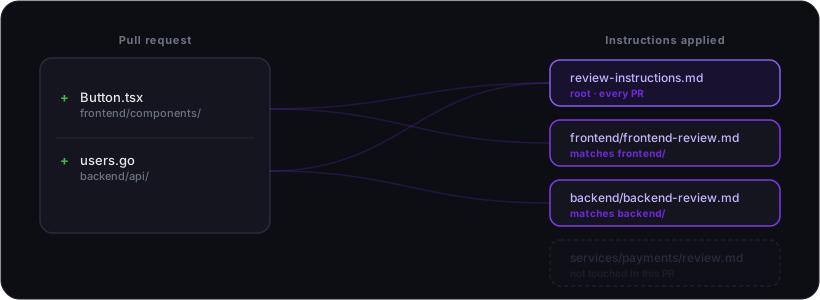
Optibot does the matching
A file at frontend/frontend-review.md runs only when a PR touches frontend/.
A file at the repo root runs on every PR. When multiple files apply, deeper directories win.
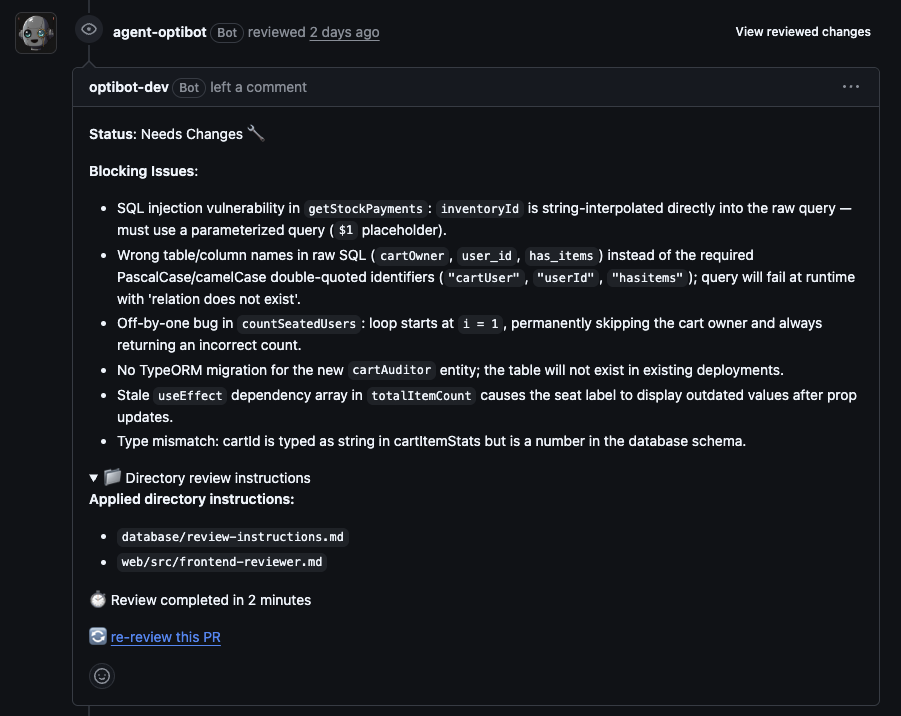
The review comment includes a collapsible footer listing exactly which instruction files shaped that review,
and flags any files you have registered that could not be found in your repository.
Security
- If a PR modifies one of your instruction files, Optibot skips it for that review. Instructions are only read from the base branch, so a PR cannot edit its own rules to avoid scrutiny.
- Directory rules are additive only. They can add requirements but cannot suppress findings for security vulnerabilities, breaking bugs, or data integrity issues.
Full docs covering scoping rules, size limits, and the review footer are in the Monorepo Guidelines reference.